Checkout integration (Plus only)
Add Postcode Check to your Checkout
This guide only works for Shopify Plus merchants.
How to activate the InStijl Postcode Check in your checkout:
- Go to your Shopify Admin.
- Click on Settings > Checkout.
- Choose Customize to open the Checkout Editor.
- Click Add app block in the panel on the right.
- Find and select InStijl Postcode Check.
- Position it where you'd like it to appear.
- Click Save to apply the changes.
The postcode check is now active and visible in your checkout.
Settings
You can change the following settings for this Checkout Extension:
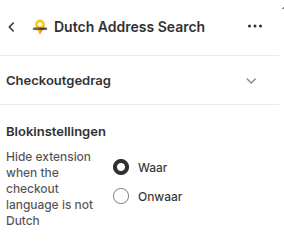
Choose True to hide the checkout extensions for users that use a different language then Dutch.